Grammarly Keyboard MOD APK (Premium Unlocked)
23 MB
2.117.100053
Android 9.0+
Description
Grammarly Keyboard MOD APK brings Grammarly’s writing assistance directly to your Android device, helping you check text while you type. The listed release is version 2.117.100053, with a reported 23 MB file size and Premium Unlocked as the claimed MOD feature.
Table of Contents
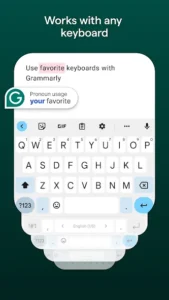
Unlike a conventional writing editor, Grammarly for Android is designed to work while you are writing in other apps. Grammarly says its mobile tools provide real-time suggestions for grammar, spelling, and punctuation, while its current Android offering also includes tone and AI rewriting features.
Grammarly Keyboard Features
The keyboard can be useful when writing WhatsApp messages, emails, social posts, notes, or other text on an Android phone. Grammarly’s Android system can display suggestions while you type, allowing you to review or accept corrections without moving your text into a separate editor.
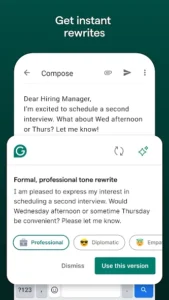
The official Grammarly website also highlights tone checking and rewriting on mobile. These features can help users adjust wording depending on whether they are writing something casual, professional, or more formal.
For more Android applications, you can browse the Android Apps section on GetAPKMods. Users looking for AI-related applications can also check our Google Gemini APK page.
Version and Android Compatibility
This listing provides Grammarly Keyboard v2.117.100053 with a reported size of 23 MB. Grammarly’s official documentation currently states that Grammarly for Android supports phones and tablets running Android 9.0 or newer.
The Premium Unlocked label refers to the third-party MOD version described on this page and is not an official Grammarly distribution. Users should therefore check the APK’s package information and permissions before installation.
For official information about Grammarly on Android, visit the Grammarly Android support guide.
Images