PUBG Mobile Lite: Experience Battle Royale Anywhere
46.5 MB
0.27.0
Android 8+
Description
For millions of gamers in Pakistan, the original PUBG Mobile is the gold standard for battle royale action. However, as the game grows in size and graphical fidelity, it demands powerful hardware, often leading to lag, overheating, and stuttering on entry-level devices. PUBG Mobile Lite was specifically engineered to solve this, offering the core competitive survival experience in a package optimized for phones with limited RAM and storage.
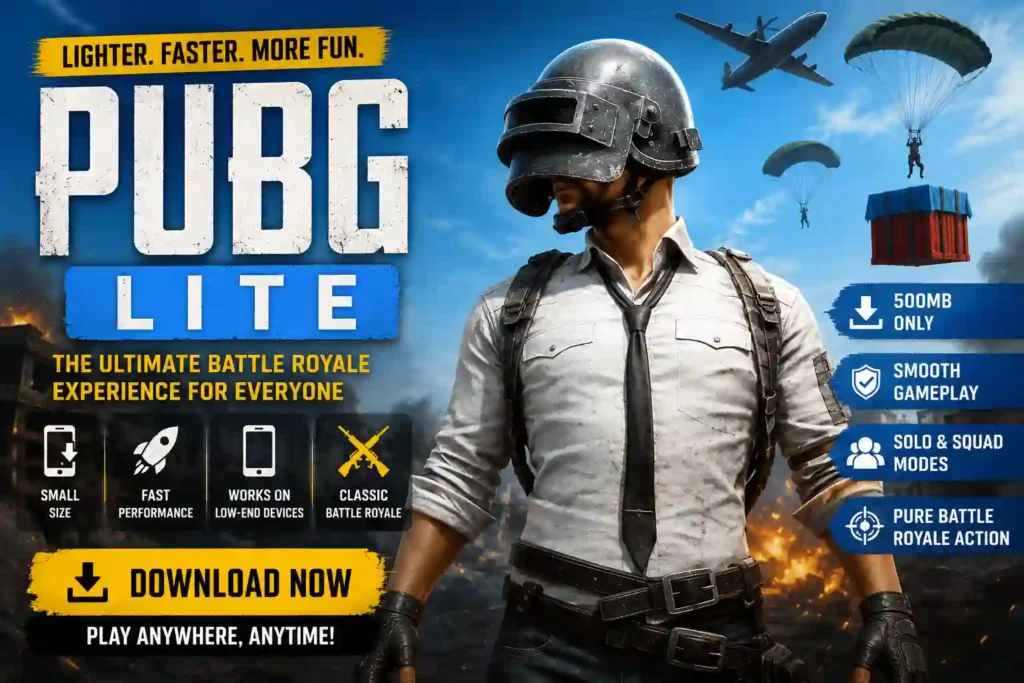
Whether you are using an older smartphone or simply prefer faster, high-intensity matches, PUBG Mobile Lite remains a top-tier choice in 2026. In this guide, we break down why this version is a game-changer, how to install it safely, and tips to master your performance.
Table of Contents
Why Choose PUBG Mobile Lite?
PUBG Mobile Lite utilizes the powerful Unreal Engine 4 to deliver high-quality graphics and immersive audio while significantly reducing resource consumption. It isn’t just a “downgraded” version; it is a specialized experience tailored for speed and efficiency.
Key Advantages for Pakistani Gamers:
- Minimal Hardware Footprint: Requires only about 600 MB of free storage and runs smoothly on devices with 1 GB of RAM.
- Faster Match Pacing: Maps are scaled down to 2km x 2km, supporting 60 players instead of 100. This results in quicker, action-packed matches lasting roughly 10 minutes—perfect for gaming on the go.
- Optimized Performance: Features simplified graphics and rendering techniques that prevent frame drops during intense combat scenarios.
- Accessible Content: Like its “big brother,” it features the Winner Pass (similar to the Royale Pass), allowing you to unlock skins, emotes, and outfits through challenges.
Comparison: Standard PUBG Mobile vs. Lite
To help you decide which version fits your device, consider the following technical breakdown:
| Feature | PUBG Mobile (Global) | PUBG Mobile Lite |
| Target Hardware | Mid to High-End | Entry-Level/Budget |
| Storage Required | 3GB+ (Variable) | ~600 MB to 1 GB |
| RAM Requirement | 2GB – 4GB+ | 1GB+ |
| Player Count | Up to 100 | ~60 |
| Match Duration | 20–30 Minutes | ~10 Minutes |
| Graphics | High Fidelity | Optimized/Simplified |
“Tired of constant frame drops and lagging during intense gaming sessions? While optimizing your system settings is a great first step, you can take your device’s performance to the next level with specialized tools. We have curated a list of the most effective solutions to help you unlock hidden potential in your favorite titles. Check out our latest guide on 10 Amazing Rotek Mods to Boost Your Android Gaming Experience to discover how you can achieve smoother graphics, faster response times, and an overall lag-free experience on your Android phone today.
How to Install PUBG Mobile Lite Safely (2026 Guide)
Because PUBG Mobile Lite may not appear in the Play Store in every region, most users rely on safe, verified APK distribution platforms. Follow this sequence to ensure a clean installation.
1.Download from a Trusted Source:Under 2 min.
Visit a reputable repository like Uptodown and search for “PUBG Mobile Lite.” Ensure you are downloading the latest version (e.g., v0.27.0 or newer).
2.Enable Unknown Sources:15 seconds.
Navigate to Settings > Apps > Special Access > Install unknown apps. Select your browser (e.g., Chrome) and toggle the Allow from this source switch to “On”.
3.Install the APK:1 min.
Open your file manager, locate the downloaded .apk file, and tap Install. Once finished, the game icon will appear on your home screen.
4.Download In-Game Resources:Initial Setup.
Upon launching, the game will perform a small initial update. Ensure you have a stable Wi-Fi connection to avoid data corruption.
Security Warning: Never download “Mod APKs” that promise “Unlimited UC,” “Wallhacks,” or “Aimbots.” These files often contain hidden malware or keyloggers and will trigger an automatic permanent ban from the game’s anti-cheat system.
Pro Tips: How to Reduce Lag on Low-End Phones
Even with the Lite version, you can further optimize your performance by adjusting in-game settings:
- Lower Graphics: Set Graphics to Smooth and Frame Rate to Medium or High (depending on your phone’s heat levels).
- Disable Shadows: Turn off “Shadows” in the Graphics settings to reduce GPU stress.
- Manage Background Apps: Always close other apps (like Facebook, Instagram, or Chrome) before launching the game to free up RAM.
- Clear Cache Regularly: Use your phone’s built-in “Cleaner” app to clear temporary files before a gaming session.
- Use a Stable Network: High ping is often mistaken for lag. If possible, play on a stable Wi-Fi connection rather than cellular data.
Frequently Asked Questions (FAQs)
1. Can I use my main PUBG Mobile account on the Lite version?
No. PUBG Mobile and PUBG Mobile Lite are treated as entirely separate games with different servers and databases. You cannot carry over your skins, rank, or friends list from the standard version to the Lite version.
2. Is PUBG Mobile Lite banned in Pakistan?
As of 2026, the game is generally accessible and operational in Pakistan. However, if you experience “Server Busy” errors, ensure your network is not restricted and try using a stable DNS or VPN set to a supported region.
3. Why does the game show “Server Busy” or “Restricted Area”?
This typically occurs if the game servers are undergoing maintenance or if your current IP address is geofenced. If you are in a supported region, restarting your router or switching from Wi-Fi to mobile data often resolves the connection handshake.
4. How do I update the game if it’s not on the Play Store?
Since manual updates are required, visit your trusted download source (such as Uptodown) periodically. You do not need to uninstall the old version; simply downloading and installing the newer APK will “overwrite” the old one, keeping your data intact.
5. Is it safe to play on my primary device?
Yes, provided you download the official APK from a trusted source. Avoid third-party “modded” versions. Official files are scanned for security, whereas modified files frequently contain viruses that can compromise your personal data or login credentials.
PUBG Mobile Lite is the perfect bridge for gamers who want quality without the hardware barrier. By following the steps above, you can enjoy a stable, lag-free battle royale experience today.
Have you tried the latest version of PUBG Mobile Lite? Share your experience in the comments below, or let us know if you need help troubleshooting specific device issues!