AdGuard: Content Blocker MOD APK (Premium Unlocked)
How to install AdGuard: Content Blocker MOD APK (Premium Unlocked)?
1. Tap the downloaded AdGuard: Content Blocker MOD APK (Premium Unlocked) file.
2. Touch install.
3. Follow the steps on the screen.
Description
Table of Contents
AdGuard is an Android ad-blocking and privacy tool designed to reduce unwanted advertisements, limit tracking requests and give users more control over network activity. Unlike browser extensions that work only within a particular browser, the full AdGuard for Android app can filter traffic from supported browsers and other apps.
The AdGuard MOD APK is advertised as a version with premium features unlocked. However, the exact changes in this modified build have not been independently verified. Its advertised benefits should not be confused with features confirmed by AdGuard itself.
Block Ads Beyond Your Browser
One of AdGuard’s main advantages is its ability to filter advertisements beyond ordinary web pages. Depending on the configuration, it can block certain banners, pop-ups and advertising requests in supported apps, games and browsers.
This can make browsing less distracting, particularly on websites with numerous advertising elements. Blocking unnecessary requests may also reduce the amount of data loaded, although the actual savings depend on the websites and apps being used.
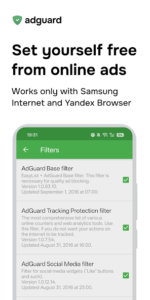
AdGuard uses filtering rules to identify requests associated with advertising and other unwanted content. Users can adjust available settings and filters to suit their preferences rather than relying on a single fixed blocking method.
For a detailed explanation of its capabilities, visit the official AdGuard for Android page.
Improve Privacy with Tracking Protection
Online services can use trackers and analytics tools to collect information about browsing activity and app usage. AdGuard offers tracking protection designed to block supported tracking requests and reduce some forms of online monitoring.
Its DNS protection feature provides another filtering option. DNS requests can be checked against selected servers, filters and user-defined rules, allowing certain advertising or tracking domains to be blocked before their content loads.
These tools can improve control over network requests, but they do not make a device completely anonymous. Websites can still identify users through account logins, cookies, browser characteristics and other methods that ad blocking alone cannot eliminate.
Users interested in broader Android privacy and device management should also explore our Dr.Fone MOD APK guide, which covers a different set of mobile utility features.
Understand AdGuard’s Local VPN Method
AdGuard for Android can use Android’s local VPN interface to filter network traffic without requiring root access. In this setup, the VPN connection is used for filtering on the device; it does not automatically mean that all traffic is routed through a remote VPN server.
This distinction matters if you want both ad blocking and a conventional VPN connection. Android generally limits simultaneous VPN connections, so compatibility can depend on the applications and configuration involved.
Before enabling advanced filtering, review the settings and understand which traffic is being filtered. You can read more about AdGuard’s approach in its official Android ad-blocking explanation.
What Does Premium Unlocked Mean in the MOD?
The Premium Unlocked label suggests that the modified APK may provide access to features normally associated with AdGuard’s paid offering. However, the label alone does not confirm which restrictions have been removed or whether every premium function works.
AdGuard distinguishes between free and paid capabilities. Some advanced functions, including certain tracking-protection and security tools, may depend on the edition or subscription being used. Features that rely on online services, licensing or account validation may not work as expected in a modified build.
Therefore, do not assume this MOD includes every paid feature, receives official updates or activates a legitimate premium subscription. Those details require testing of the actual APK.
Safety and Installation Considerations
An unofficial modified app can introduce risks that are separate from its advertised functionality. The APK may have been altered, may not receive official security fixes, or may request permissions that are unnecessary for its purpose.
Because AdGuard filters network traffic, users should be particularly careful about the source of the installer and any certificate or network permissions requested during setup. Avoid installing a build from an unknown source on a device used for banking, work or other sensitive activities.
For the most dependable experience, compare the available features with AdGuard’s official documentation and use an authorised distribution source whenever possible.
Is AdGuard MOD APK Worth Considering?
AdGuard may suit Android users who want to reduce unwanted ads, filter tracking requests and customise network protection across supported apps. Its system-level filtering offers broader coverage than a browser-only content blocker.
The MOD version claims to unlock premium functionality, but those claims remain unverified for this build. If reliable protection, predictable updates and privacy are your priorities, evaluate the official version before trusting a modified APK with your device’s network traffic.
What's new
This is a technical update aimed to increase the app stability and fix minor bugs.
Images