Google Gemini APK
2.7 MB
v1.0.939743211
Android 6+
Description
Gemini is Google’s AI assistant for Android, designed to help with writing, learning, planning, brainstorming, image understanding, and everyday questions. It supports text, voice, and image-based interactions, while supported Google services can extend what the assistant can do.
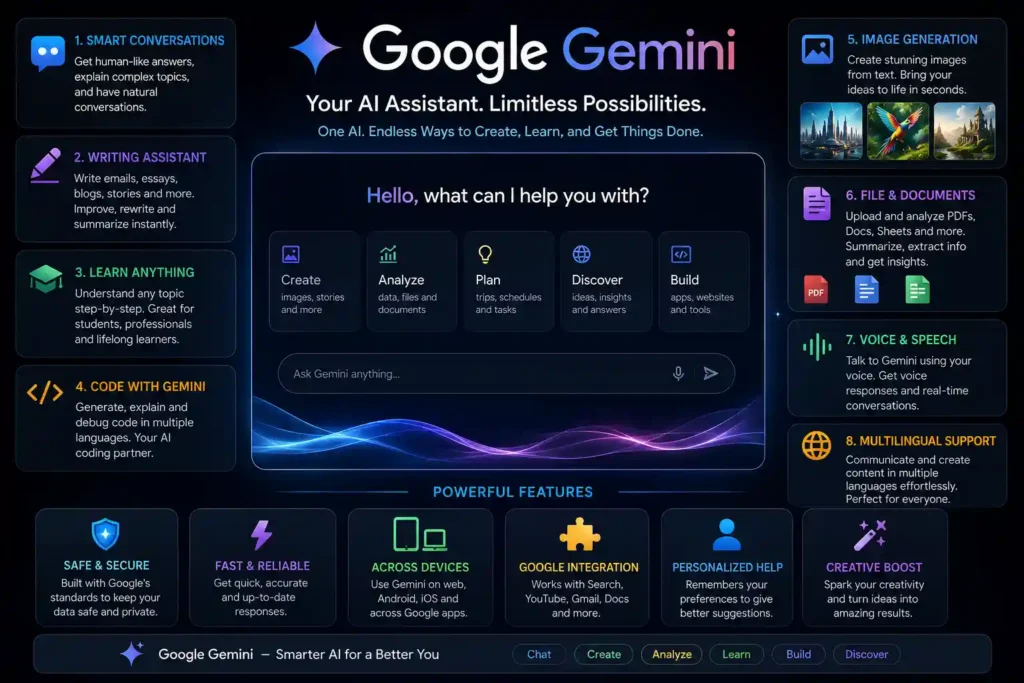
The Google Gemini APK v1.0.939743211 discussed on this page is a third-party Android package. GetAPKMods is not affiliated with Google and is not an official Google download service. Users who prefer the official distribution channel can install the app through Google Play on a compatible Android device.
This guide explains what Gemini does on Android, its main capabilities, technical information associated with the APK discussed here, compatibility requirements, installation considerations, and useful information for Android users in Pakistan.
Table of Contents
What Is Gemini?
It is an AI assistant developed by Google for supported devices and platforms. On Android, it can answer questions, help with writing, explain subjects, work with images, support voice conversations, and interact with selected Google services.
One of the main differences between Gemini and a traditional voice assistant is the ability to handle more detailed conversations. Instead of limiting a request to a short command, users can ask follow-up questions, provide additional context, and continue a discussion.
For example, you can ask it to simplify a difficult topic, create a first draft of a message, organize ideas for a project, summarize information, or discuss something visible in an image. The quality and availability of individual capabilities can vary according to your device, account, language, and region.
Google currently states that the mobile experience requires a compatible Android device running Android 9 or later with at least 2 GB of RAM. Pakistan is also included in Google’s supported country list.
Key Features for Android Users
The usefulness of this AI comes from the different ways users can interact with it. Some capabilities depend on the Android version, Google Account, selected language, location, and supported services.
Text and Conversational Assistance
You can type questions naturally rather than relying on fixed commands. Gemini can assist with brainstorming, explanations, summaries, drafts, translations, and everyday questions. For important subjects, generated responses should still be checked against reliable sources because AI systems can sometimes produce incorrect information.
Image and Camera Understanding
It can also work with visual information on supported devices and features. Users can provide an image and ask questions about it, discuss information shown in a photograph, or use supported camera-based interactions for visual assistance.
Voice Conversations and Gemini Live
Voice interaction is useful when typing is inconvenient. Gemini Live is designed for more natural spoken conversations, allowing users to discuss ideas, brainstorm, practice conversations, and ask follow-up questions using their voice.
Google App Connections
Depending on availability, it can work with supported Google applications and services. These connections can make certain tasks easier by allowing users to find information or work with supported services without manually switching between multiple applications.
Writing, Learning, and Planning Help
For students and everyday Android users, Gemini can be useful for creating first drafts, simplifying explanations, organizing ideas, planning activities, and exploring different approaches to a question. It can also help users turn rough ideas into a more structured starting point.
Multilingual Support
Language support makes it particularly useful for multilingual users. Google lists Urdu among the supported languages for its mobile experience, alongside many other languages. However, individual features can have different limitations depending on the selected language.
Technical Information
| Specification | Details |
|---|---|
| App Name | Google Gemini |
| Version | v1.0.939743211 |
| Package Name | com.google.android.apps.bard |
| Category | Productivity / AI |
| Android Requirement | Android 9.0 or later |
| RAM Requirement | 2 GB or more |
| Developer | Google LLC |
| Platform | Android |
Technical note: The version and package information above identifies the APK information currently associated with this page. Before installing any third-party package, compare the displayed package name and version with the actual file you receive. APK metadata alone does not establish that a third-party file is an official Google distribution.
How to Install the APK
If you install an APK manually instead of using Google Play, Android may ask you to allow installation from the browser or file manager being used.
- Download the APK: Save the required APK file to your Android device.
- Check the file: Confirm the package name and version before opening the file.
- Allow installation: If Android requests permission, open Settings and allow your browser or file manager to install unknown apps.
- Open the APK: Go to your Downloads folder, tap the APK file, and select Install.
- Launch the app: Open the application after installation and follow the available setup instructions.
- Sign in if required: Some features require a Google Account, and availability can depend on your account, device, language, and location.
Important Things to Check Before Installation
Installing an APK manually is different from installing an application through Google Play. Before opening a third-party package, check the following points.
- Make sure your Android version meets the required minimum.
- Keep enough free storage available for installation and app data.
- Check the APK package name and version before installing.
- Use a download source that you understand and trust.
- If you are unsure about an APK’s origin, scan the file with a reputable security tool.
- Remember that unofficial APK packages may differ from the version distributed through Google Play.
- Do not provide sensitive information to an unfamiliar application unless you understand why it requires that information.
Related Android AI Apps
If you use AI-powered tools for creative work, photo editing, or content creation, you may also find our Remini Mod APK guide useful. Remini focuses on AI-based photo enhancement and restoration, making it a different type of AI tool from it.
For users who want AI-assisted video editing and other creative tools, our CapCut Pro APK guide covers another popular category of Android creative software. Comparing these tools can help you choose an application based on the task you actually want to perform.
These internal links are provided because they cover related AI and creative Android use cases rather than simply adding unrelated APK pages.
Official Gemini Information
Because it is a Google product, Google’s own documentation should be used to confirm current availability, supported languages, device requirements, and feature changes.
Google currently lists Pakistan among the supported countries for the mobile app and Urdu among its supported languages. Individual features can still vary according to device, account, language, and region.
Frequently Asked Questions
What is Gemini used for?
Gemini can help with questions, writing, learning, planning, image understanding, voice conversations, and supported Google services on compatible devices.
Can I use Gemini on an Android phone?
Yes. Google says the mobile app is available on compatible Android phones and tablets running Android 9 or later with at least 2 GB of RAM. Android Go devices are not supported for the mobile app.
Is Gemini available in Pakistan?
Yes. Google currently lists Pakistan among the countries where the Gemini mobile app is available, although specific features can vary by account, device, language, and region.
Does Gemini support Urdu?
Yes. Urdu is listed among the supported languages for the Gemini mobile app. Some features may have different limitations depending on the selected language.
Can Gemini replace Google Assistant?
On compatible Android devices, Gemini can be selected as the mobile assistant. Google also provides options for users to switch between available assistant experiences.
Should I trust every answer from Gemini?
No. AI assistants can sometimes generate inaccurate information. Important facts should be checked against reliable sources before you rely on them.
Final Thoughts
It is a practical AI assistant for compatible Android users who want help with questions, writing, learning, planning, images, and voice conversations. Its integration with supported Google services can make everyday tasks easier, while Gemini Live offers a more conversational way to interact with an AI assistant.
If you are researching a Gemini APK, check the Android requirements, package name, version, and source before installing a third-party package. For current availability, supported languages, and official distribution, Google’s documentation and Google Play listing should remain the primary references.
GetAPKMods provides independent information about Android applications and APK files. It is not affiliated with Google, and it is a product of Google LLC.