Otter AI MOD APK – Transcribe Voice Notes
24.6 MB
3.109.3-7577
Android 6.0+
Description
Table of Contents
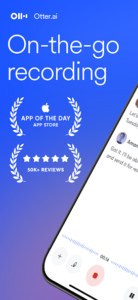
Otter AI is a voice recording and transcription app that turns spoken conversations into searchable text. It is designed for people who need to capture information from meetings, lectures, interviews, discussions and personal voice notes without typing everything manually. By combining audio recording with AI-powered transcription and summaries, Otter can make spoken information easier to review and organise.
The app is particularly useful when you need to concentrate on a conversation instead of constantly writing notes. Its transcription tools help you revisit important details after a discussion has finished.
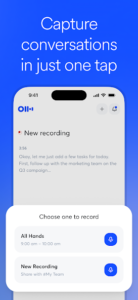
Otter AI: Record Conversations and Convert Speech to Text
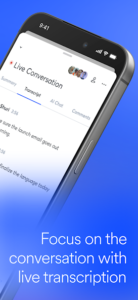
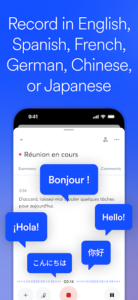
One of Otter AI’s main features is real-time transcription. Users can record a conversation and follow the generated text while speaking takes place, provided the necessary internet connection and permissions are available.
This can be useful during university lectures, workplace meetings, interviews and brainstorming sessions. Instead of trying to capture every sentence manually, you can review the transcript afterwards and focus on the information that matters.
Otter can also work with supported prerecorded audio and video files. This gives users another way to turn existing recordings into written material rather than relying exclusively on live recording.
For a complete overview of its recording and transcription capabilities, visit the official Otter AI features page.
Generate Summaries and Review Key Points
Long recordings can be difficult to review, especially when a meeting covers several topics. Otter offers AI-assisted summaries and tools for identifying important points, helping users find the main ideas without listening to an entire recording again.
The app also supports features such as highlighting, editing transcripts and searching saved conversations. These options can be helpful when preparing meeting minutes, revisiting an interview answer or finding a particular detail from an earlier discussion.
Transcription is not always perfect, however. Background noise, overlapping speakers, unfamiliar names and unclear pronunciation can affect the generated text. Important quotations, figures and decisions should be checked against the original recording before being shared or used in formal documents.
Organise Notes and Collaborate with Others
Otter provides tools for organising conversations and sharing notes with other people. Depending on the account and available features, users can collaborate on transcripts, add comments, highlight information and share recordings or written notes through supported options.
These capabilities can help teams keep track of discussions and identify follow-up tasks. Students can use transcripts to review lessons, while professionals may find them useful for interviews, planning sessions and project meetings.
If your work also involves preparing reports, presentations or documents from meeting notes, you can explore WPS Office Premium on GetAPKMods. It covers a different part of the workflow by providing document, spreadsheet, presentation and PDF tools.
Work with AI Beyond Transcription
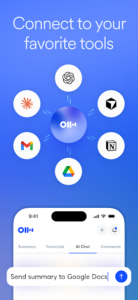
Otter’s AI features extend beyond converting speech into text. Depending on the available plan and feature access, users can work with summaries, ask questions about conversations and organise information captured during discussions.
AI-generated results should still be treated as a starting point rather than a guaranteed record of everything said. Before relying on a summary for business decisions or academic work, compare it with the transcript and recording.
For broader AI-assisted tasks such as writing, learning and brainstorming, you can also read our Google Gemini APK guide. Gemini serves as a general-purpose AI assistant, whereas Otter is more specifically focused on conversations, recordings and meeting notes.
What to Know About the MOD APK
The supplied listing identifies this as an Otter AI MOD APK but does not specify which functions have been modified. It would therefore be inaccurate to promise unlimited transcription, unlocked premium tools or removal of subscription limits.
Otter’s official app includes free and paid options, with limits and additional capabilities depending on the plan. A modified installation may not change restrictions enforced by Otter’s online services, and its behaviour cannot be confirmed from the MOD label alone.
Privacy and Installation Considerations
Voice recordings and transcripts can contain confidential business information, personal conversations or private details. Before recording others, consider applicable consent requirements and the rules of your workplace or institution.
Also review the app’s permissions and understand where recordings and transcripts are stored. Unofficial APKs can introduce additional security risks, and their contents may differ from the developer’s release.
For the most dependable information about current features, account limits and privacy practices, consult Otter’s official website and its privacy policy.
Is Otter AI Worth Using?
Otter AI is worth considering if you regularly need searchable transcripts, meeting summaries or a convenient way to turn spoken information into notes. Its recording, transcription and organisation tools can reduce manual note-taking, although generated text still needs review.
The supplied MOD listing does not identify a specific unlocked feature, so its modified functionality remains unverified. Users handling sensitive recordings should carefully consider the source of any unofficial build before signing in or storing private information.
What's new
Bug fixes
Images