Turbo VPN Mod APK – Premium VPN for Android
49.7 MB
v4.0.3.2
Description
Turbo VPN Mod APK v4.0.3.2 is a modified Android version of Turbo VPN made for users who want to use VPN features with fewer restrictions than the standard app. Turbo VPN provides a simple way to connect an Android phone to a VPN server and use the internet through that connection.
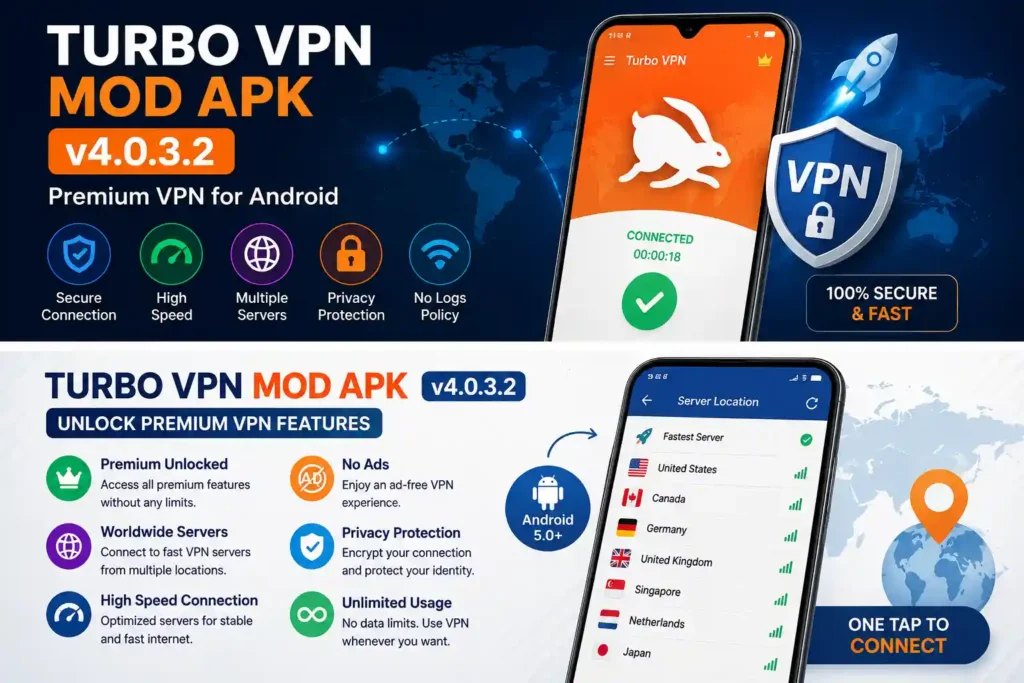
The v4.0.3.2 build comes in two Android architecture variants. The ARM32 version supports Android 5.0 and above, while the ARM64 version requires Android 6.0 or above. The original release also included an optimization to the connection process for faster connection.
This guide covers the Turbo VPN Mod APK v4.0.3.2 features, app information, compatibility, installation process, usage and some important points to check before installing a modified VPN application.
Table of Contents
Turbo VPN Mod APK v4.0.3.2 Details
| Information | Details |
|---|---|
| App Name | Turbo VPN |
| Version | v4.0.3.2 |
| MOD Version | v4.0.3.2 |
| Package Name | free.vpn.unblock.proxy.turbovpn |
| Developer | Innovative Connecting |
| Category | Tools / VPN |
| ARM32 Support | Android 5.0+ |
| ARM64 Support | Android 6.0+ |
| ARM32 Size | About 23.68 MB |
| ARM64 Size | About 23.99 MB |
| Internet Required | Yes |
| App Type | VPN / Proxy |
The published v4.0.3.2 Android release is available in an armeabi-v7a variant of about 23.68 MB and an arm64-v8a variant of about 23.99 MB. Both variants target Android 13 while supporting the minimum Android versions shown above.
What Is Turbo VPN Mod APK?
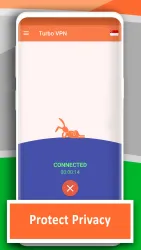
Turbo VPN is a VPN application for Android that allows users to route their internet connection through VPN servers. The application has a simple interface where users can connect to a server without going through complicated manual VPN configuration.
The MOD APK is a modified version of the application. Depending on the particular build, modifications can unlock or change features that are restricted in the standard version.
One important thing to remember is that MOD APK features are not always identical between different files or sources. Therefore, the exact modifications should be checked on the download page before installing the APK.
Turbo VPN Mod APK Features
Simple One-Tap VPN Connection
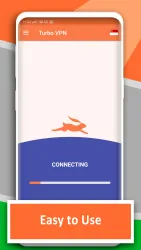
Turbo VPN is designed around a simple connection process. Instead of manually creating a VPN profile, users can open the application, select a server when necessary and start the connection.
This makes the app easy to understand even for users who have never configured a VPN manually.
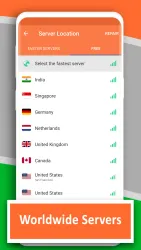
VPN Server Selection
Turbo VPN provides different server locations for VPN connections. Available locations can depend on the application and service configuration.
Choosing a nearby server can sometimes provide better connection performance, while another location may be useful when you need your connection to appear from a different region.
Wi-Fi and Mobile Data Support
The application is designed to work with common Android internet connections, including Wi-Fi and mobile data. The v4.0.3.2 documentation specifically describes support for Wi-Fi, LTE, 3G and mobile data connections.
This means you can use Turbo VPN while connected through your home Wi-Fi, public Wi-Fi or a supported mobile network.
Connection Process Optimization
The v4.0.3.2 release notes include a specific connection improvement. The update was intended to optimize the connection process so that the application could connect faster.
This is one of the useful version-specific details of this build.
Streaming and Gaming Support
Turbo VPN’s original application description mentions use with streaming services and gaming connections. However, actual performance depends on the VPN server, your internet connection, network congestion and the service you are accessing.
A VPN should therefore not be treated as a guarantee of faster streaming or gaming.
Modified Features
The main reason users search specifically for Turbo VPN Mod APK v4.0.3.2 is to find a modified build rather than the standard APK.
The exact MOD options can depend on the build uploaded by the provider. Some MOD releases may change premium access, advertising or other application restrictions.
For this reason, check the MOD information shown with the specific APK before installation instead of assuming that every Turbo VPN MOD file contains exactly the same changes.
Turbo VPN Standard vs Turbo VPN MOD
The main difference is that the standard version follows the application’s normal feature and subscription structure, while a MOD build has been changed by a third party.
| Feature | Standard APK | MOD APK |
|---|---|---|
| VPN connection | Yes | Yes |
| Server selection | Yes | Yes |
| One-tap connection | Yes | Yes |
| Modified features | No | Depends on build |
| Premium restrictions | Standard app rules | May be modified |
| Ads | Depends on app configuration | May be modified |
| Original developer package | Yes | Modified package/build |
The MOD version should therefore be considered a separate modified build rather than an official release from the developer.
Android Compatibility
Before downloading Turbo VPN Mod APK v4.0.3.2, check your Android version and device architecture.
The two published variants are:
- armeabi-v7a: Android 5.0 or newer
- arm64-v8a: Android 6.0 or newer
The ARM32 file is approximately 23.68 MB, while the ARM64 file is approximately 23.99 MB.
Most newer Android phones use ARM64, but checking your device is still better than guessing.
How to Download Turbo VPN Mod APK v4.0.3.2
To download the MOD version, use the download section provided on this page and check the displayed version before starting the download.
Make sure the file is specifically marked v4.0.3.2 if that is the build you want.
Also check whether the available APK is ARM32 or ARM64 so that you select a suitable package for your phone.
How to Install Turbo VPN Mod APK v4.0.3.2
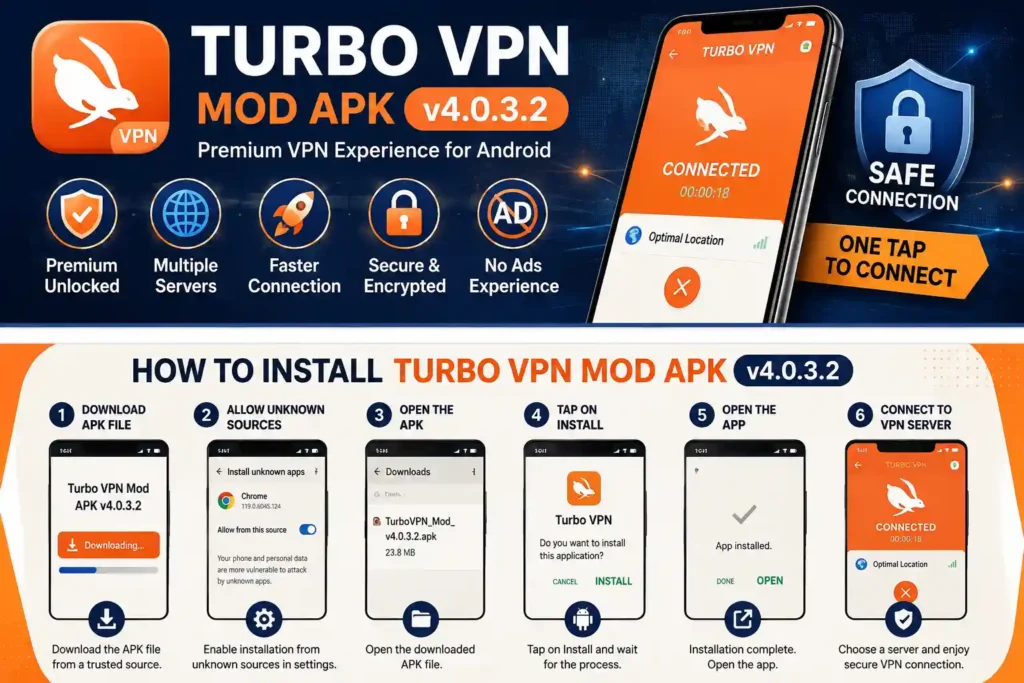
Installing an APK outside Google Play requires Android to allow installation from the source you are using.
Step 1: Download the APK
Download the Turbo VPN Mod APK v4.0.3.2 file to your Android device.
After downloading, open your Downloads folder and check the APK file.
Step 2: Allow Installation
If Android shows a warning about installing an unknown application, open the settings option provided in the warning.
Allow your browser or file manager to install applications from that source.
The exact menu can be different depending on your Android phone.
Step 3: Install the APK
Tap the downloaded APK file and select Install.
Wait for Android to finish installing the application.
Step 4: Open Turbo VPN
After installation, open Turbo VPN from your app menu.
The application may ask for permission to create a VPN connection. Read the Android prompt and allow it if you want to use the VPN.
Step 5: Connect to a Server
Choose a server location if required and tap the connection button.
Wait for the VPN connection to establish before using other applications.
How to Use Turbo VPN Mod APK
Using Turbo VPN does not require complicated networking knowledge.
- Open Turbo VPN.
- Check the available server.
- Select another location if needed.
- Tap the connect button.
- Accept the Android VPN permission prompt.
- Wait for the connection.
- Use your browser or other applications normally.
When you finish using the VPN, open Turbo VPN again and disconnect the connection.
Is Turbo VPN Mod APK Safe?
This is an important question with any modified APK.
The original Turbo VPN application and a modified APK should not be treated as the same file. A MOD APK has been changed by a third party, so its behavior can differ from the original application.
Before installing any modified VPN application, consider the following:
- Download the file from a source you trust.
- Check the APK version before installing.
- Review the permissions requested by Android.
- Avoid files that request permissions that do not make sense for their function.
- Keep your device security features active.
- Do not enter sensitive information into an application you do not trust.
The published v4.0.3.2 release requests network-related permissions and several other Android permissions, including internet, network state and Wi-Fi state access.
A VPN can protect traffic between your device and its VPN connection, but using a VPN does not mean that you are completely anonymous or protected from every online threat.
Turbo VPN and Internet Privacy
A VPN can be useful when you are using public Wi-Fi or want to route your connection through a VPN server.
Turbo VPN’s v4.0.3.2 description mentions encrypted network traffic and VPN protocols such as IPsec, OpenVPN and SSR.
However, users should avoid exaggerated privacy expectations.
A VPN does not protect you from phishing websites, malicious APK files, weak passwords or every form of online tracking. Good online security still requires safe browsing habits.
Can Turbo VPN Improve Gaming?
A VPN can sometimes help with a specific connection problem, but it does not automatically make every game faster.
Your gaming experience can depend on:
- Distance from the VPN server
- Internet provider
- Network congestion
- VPN server load
- Game server location
- Your normal internet speed
If your normal connection is already good, routing traffic through an additional VPN server may actually increase latency.
So it is better to test different servers rather than assuming that a VPN will always reduce ping.
Turbo VPN for Streaming
Turbo VPN’s application description mentions streaming support and dedicated video servers.
However, streaming services can change their VPN detection systems at any time.
A particular server may work today and fail later. Connection speed can also vary depending on the selected server and your internet provider.
For that reason, we recommend treating streaming performance as something to test rather than a guaranteed feature.
Common Turbo VPN Installation Problems
App Not Installed
If Android shows App not installed, another Turbo VPN package may already be installed.
You can check your installed applications and remove the existing version if you are intentionally replacing it.
Also make sure you downloaded a compatible APK variant.
Wrong Architecture
The v4.0.3.2 release has separate ARM32 and ARM64 packages.
If you install the wrong variant, Android may reject the APK or the application may not work correctly.
VPN Permission Problem
Android normally displays a VPN permission request when an application wants to create a VPN connection.
If the connection does not start, restart the application and check that your internet connection is working.
Slow VPN Connection
A VPN can reduce connection speed because your traffic is being routed through another server.
Try another server location and compare the result.
A closer server may sometimes provide better latency.
VPN Disconnects Frequently
Frequent disconnections can be caused by network instability, server load, battery restrictions or problems with the VPN connection.
Try another server and check whether Android’s battery-saving settings are restricting the application.
Why Choose Turbo VPN Mod APK v4.0.3.2?
The main attraction of this build is its simple Android VPN experience combined with the modifications available in the particular MOD file.
The v4.0.3.2 build also has relatively modest APK sizes compared with many newer Android applications, with the published variants measuring around 23.68 MB and 23.99 MB.
It can therefore be an option for users who specifically need this particular build and have a compatible Android device.
Related Android Apps
If you also edit videos on Android, check our Alight Motion MOD APK guide in the same site. It covers the app’s MOD features, installation and other useful information.
For Android driving games, you can also visit our City Car Driving APK guide. It is a different type of Android experience, but it can be useful if you are looking for another app to try.
For readers who also explore Android game apps, you can check the JJWin Game APK guide on APKZilla.store for more information.
Turbo VPN Mod APK v4.0.3.2 FAQs
What is Turbo VPN Mod APK v4.0.3.2?
Turbo VPN Mod APK v4.0.3.2 is a modified Android build based on Turbo VPN version 4.0.3.2. The exact modifications depend on the particular MOD APK build.
What Android version is required?
The ARM32 variant supports Android 5.0 and later, while the ARM64 variant supports Android 6.0 and later.
How large is Turbo VPN v4.0.3.2?
The published ARM32 version is about 23.68 MB and the ARM64 version is about 23.99 MB.
Does Turbo VPN work with mobile data?
Yes. The application documentation lists support for Wi-Fi, LTE, 3G and mobile data connections.
Does Turbo VPN require internet access?
Yes. A VPN needs an active internet connection so that it can route traffic through its VPN servers.
Is the MOD version the same as the official Turbo VPN?
No. A MOD APK is modified by a third party and can contain changes that are not part of the original developer’s distribution.
Can Turbo VPN make my internet faster?
Not always. A VPN can sometimes improve a particular routing problem, but it can also reduce speed because traffic travels through an additional server.
Can I use Turbo VPN for gaming?
Yes, it can be used while gaming, but the result depends on your network, VPN server, game server and connection quality.
Why is Turbo VPN not connecting?
Check your internet connection first. If the internet is working, try another VPN server and restart the application.
Final Thoughts
Turbo VPN Mod APK v4.0.3.2 offers a straightforward VPN experience for Android users who specifically want a modified build of Turbo VPN. The v4.0.3.2 release supports ARM32 and ARM64 Android devices, with minimum requirements of Android 5.0 and Android 6.0 respectively.
Its simple connection process makes it easy to use, while the particular MOD build can provide changes to the standard application’s restrictions or features.
Before installing any modified VPN application, however, check the APK source, version, architecture and permissions. Most importantly, remember that a MOD APK is not the same as the original developer-distributed application.
If v4.0.3.2 is the specific MOD build you want, check the version and MOD information on the download section before installing it on your Android device.
Images