
ZArchiver Pro Mod APK v1.0.10
How to install ZArchiver Pro Mod APK v1.0.10?
1. Tap the downloaded ZArchiver Pro Mod APK v1.0.10 file.
2. Touch install.
3. Follow the steps on the screen.
Description
ZArchiver Pro Mod APK is a third-party Android package based on ZArchiver, a utility designed for managing compressed files and folders. The version listed here is v1.0.10 with a reported file size of 4.62 MB. ZArchiver supports common archive formats and can also handle APK and OBB files.
Table of Contents
ZArchiver Pro Mod APK Features
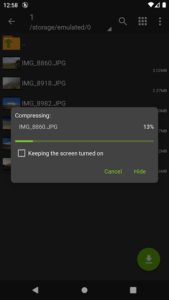
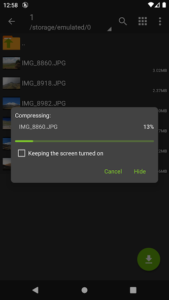
The original ZArchiver provides a wide range of archive-management tools. Users can create and extract formats such as 7z, ZIP, TAR, GZIP, BZIP2, XZ, and ZSTD, while it can also open many other archive types, including RAR and ISO.
Another useful feature is password-protected archive support. ZArchiver can create encrypted ZIP and 7z archives and extract files from password-protected packages when the correct password is available. It also supports split archives, partial extraction, and editing supported archives without completely extracting them first.
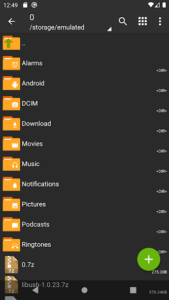
For Android users who regularly work with APK files, ZArchiver can also open and manage APK/OBB-related files. Its lightweight design makes it practical for handling downloaded archives directly from a phone.
The Pro Mod label refers to a modified third-party build, so advertised premium or unlocked functions should not automatically be considered official ZDevs features. The exact changes can vary between modified APK releases.
Version and Installation
The supplied build is ZArchiver Pro Mod APK v1.0.10, with a listed size of 4.62 MB. Before installing any third-party APK, check the version, file size, Android compatibility, requested permissions, and source of the package.
If you frequently install APK files, you can also explore other Android utilities such as Dr.Fone APK on GetAPKMods.
For the official application and current developer information, refer to ZDevs and its official ZArchiver listing.
ZArchiver remains primarily an archive and file-management utility, making it useful for Android users who need to compress, extract, inspect, or organize different types of files from their mobile devices.
What's new
- speedup file operations;
- added SUI support;
- added E-Ink theme;
- added drag and drop file in or out from ZA;
- other fixes and improvements.
Images












I appreciate the detailed explanation of the supported archive formats like ZIP and 7z. This tool seems very useful for managing compressed files on Android devices. The mention of partial extraction is particularly helpful for users who need quick access to specific data.