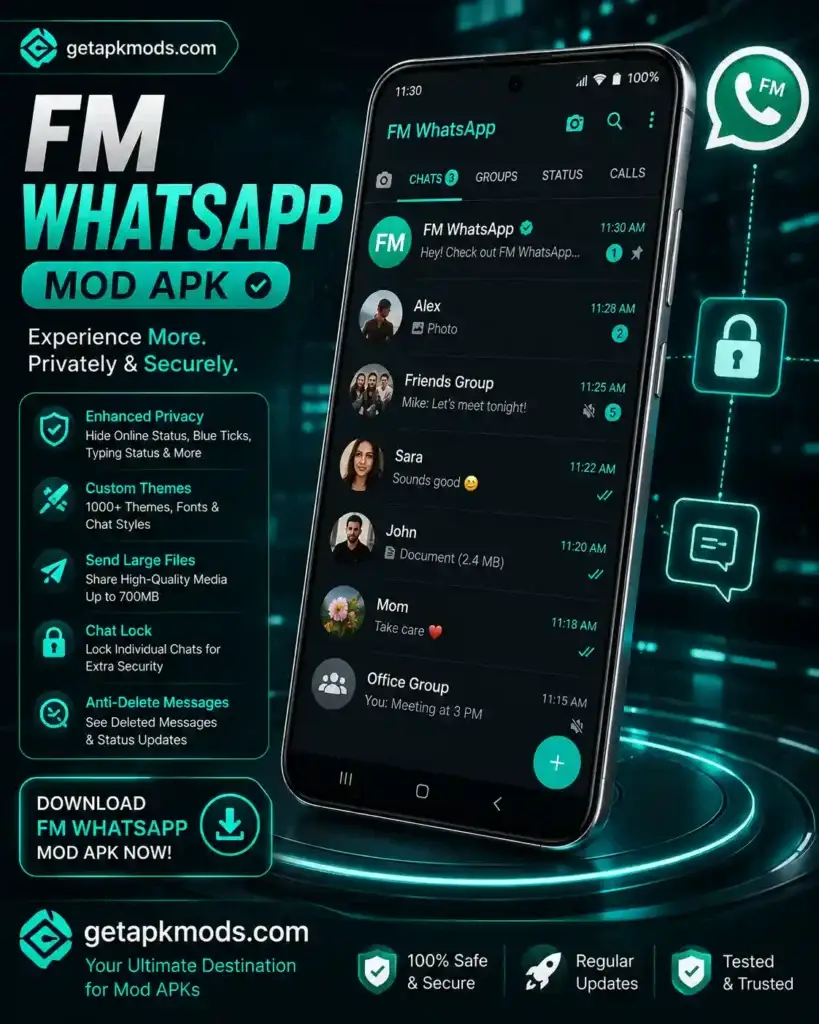
FM WhatsApp is a modified, third-party version of WhatsApp that has attracted Android users looking for additional customization and privacy-related controls. Unlike the official WhatsApp application, FM WhatsApp is not developed or supported by WhatsApp.
If you are researching FM WhatsApp APK or FM WhatsApp v10.10 APK download, this guide explains what the modified app is, the features commonly associated with it, how it differs from official WhatsApp, and the risks you should understand before using an unofficial client.
Important: WhatsApp identifies FM WhatsApp as an unofficial application. WhatsApp says it cannot validate the security or privacy practices of unofficial versions and warns that using them can put your privacy and security at risk and may result in account restrictions.
What Is FM WhatsApp APK?
FM WhatsApp is a modified Android WhatsApp client distributed outside WhatsApp’s official channels. It is associated with third-party developers rather than WhatsApp or Meta.
Modified WhatsApp clients are generally created to provide additional customization or functions that may not be available in the standard application. Depending on the particular build, these can include additional privacy settings, themes, interface customization, and modified media-sharing options.
The exact feature set can vary between releases. Therefore, a feature advertised for one FM WhatsApp build should not automatically be treated as available in every version.
If you prefer the supported version of WhatsApp, you can read our WhatsApp APK guide or visit the official WhatsApp Android download page.
FM WhatsApp at a Glance
- App type: Third-party modified WhatsApp client
- Platform: Android
- Distribution: Outside WhatsApp’s official app channels
- Customization: May include additional themes and interface options
- Privacy controls: May include modified visibility and read-status settings
- Official WhatsApp support: No
FM WhatsApp Features
The features available in FM WhatsApp depend on the specific build. Commonly advertised functions include:
- Additional privacy and visibility controls
- Custom themes and interface settings
- Modified read-status and typing indicators
- Additional media-sharing options
- Chat and application lock features
- Extra customization for individual conversations
These should be considered build-specific features rather than guaranteed functions of every FM WhatsApp APK.
Privacy and Visibility Controls
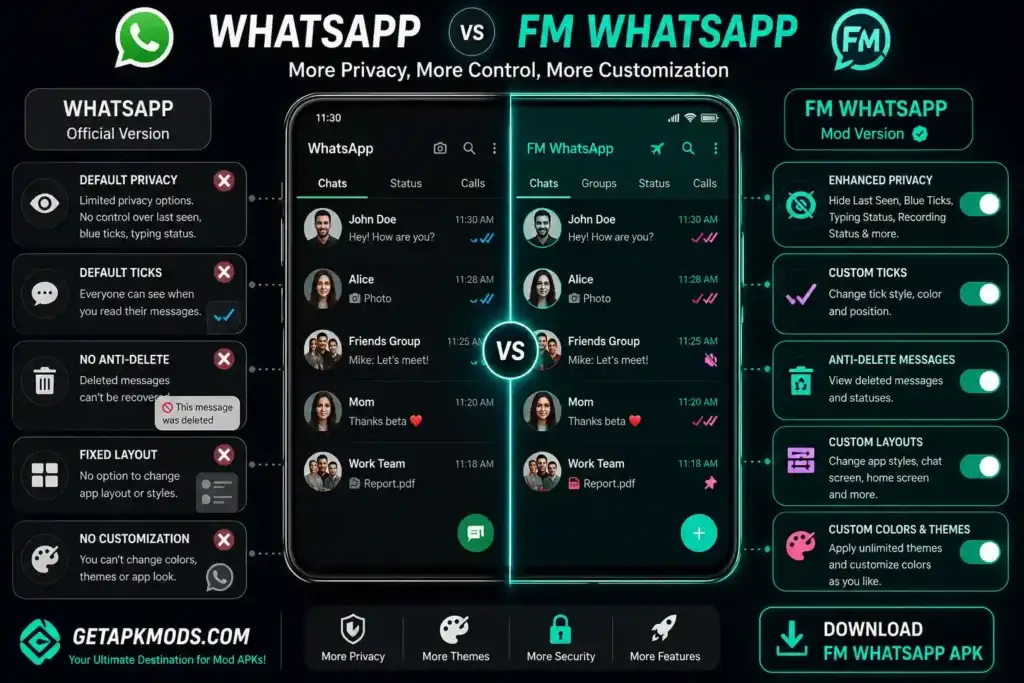
Some FM WhatsApp builds advertise options for controlling online visibility, typing indicators, read receipts, and other activity information.
These settings may provide additional customization, but they should not be treated as proof that the application itself is more secure. A privacy option inside a modified application does not establish that the application follows the same security practices as official WhatsApp.
Anti-Delete Features
Some modified WhatsApp builds advertise anti-delete functions that attempt to keep deleted messages or status content visible to the user.
Because this behavior can vary by build, it should be treated as a feature claim rather than a guaranteed function of every release. It also does not provide any additional guarantee about the privacy or security of the application.
Theme and Interface Customization
Additional interface customization is one reason some Android users consider modified WhatsApp clients.
Depending on the build, customization options may include:
- Chat backgrounds
- Colors
- Fonts
- Icons
- Conversation layouts
- Custom themes
Theme availability can change between releases, so check the exact version before relying on a particular customization option.
Additional Media Options
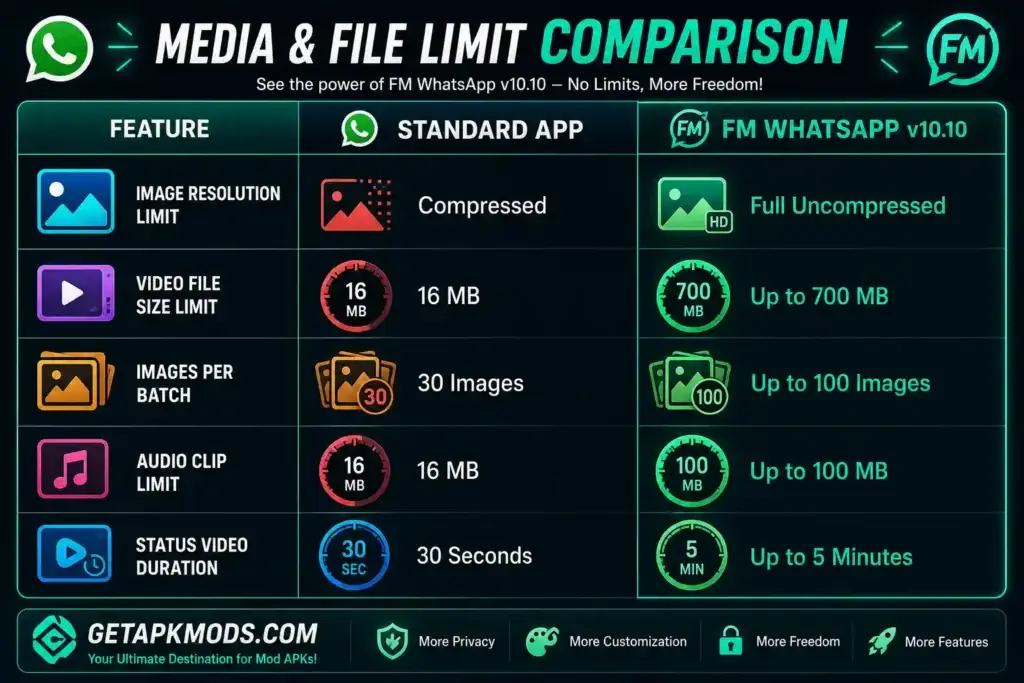
Some versions advertise larger media-sharing limits or additional controls for sending photos, videos, and other files.
Exact file limits should be verified against the particular build. Avoid relying on old feature lists that quote fixed limits without identifying the version they describe.
App Lock and Chat Privacy
Some FM WhatsApp builds advertise additional app-lock or chat-lock options. These may include PIN, pattern, fingerprint, or conversation-level privacy controls depending on the release.
These features can add another layer of interface-level access control, but they should not be confused with independent verification of the application’s overall security.
FM WhatsApp v10.10 Overview
The version referenced by this article is FM WhatsApp v10.10. Version-specific information should always be checked against the exact APK file because modified applications can be repackaged or updated independently by third-party distributors.
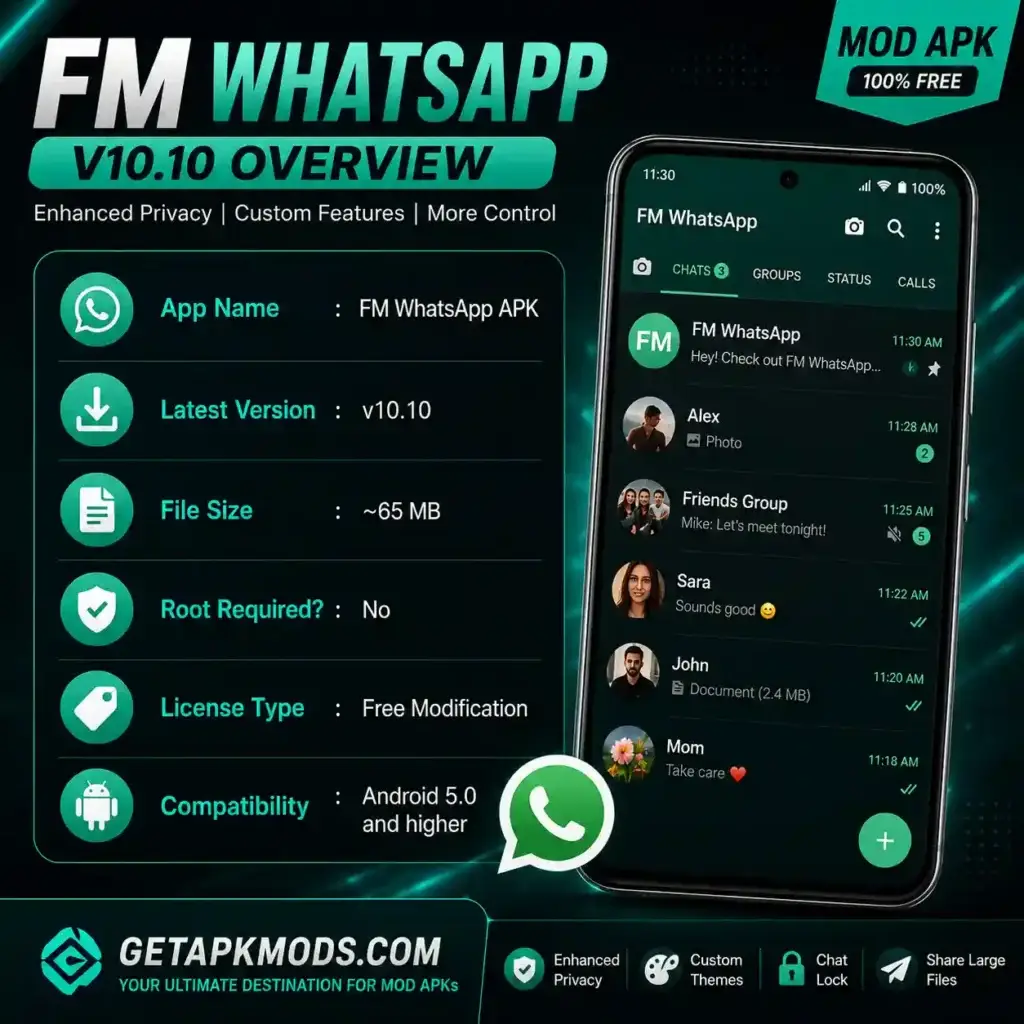
Do not assume that every feature associated with an earlier FM WhatsApp release is available in v10.10. Likewise, a newer APK should not automatically be considered safer simply because its version number is higher.
FM WhatsApp vs Official WhatsApp
The biggest difference is not simply the number of features. Official WhatsApp is supported and distributed by WhatsApp, while FM WhatsApp is an unofficial third-party modification.
| Area | Official WhatsApp | FM WhatsApp |
|---|---|---|
| Developer | WhatsApp / Meta | Third-party developers |
| Officially supported | Yes | No |
| Official distribution | Yes | No |
| Additional modifications | No | May be available |
| Extra themes and customization | Limited | May be available depending on the build |
| Security practices validated by WhatsApp | Yes | No |
| Account restriction warning | Normal supported use | WhatsApp warns of possible restrictions |
| Official support | Yes | No |
WhatsApp currently distributes its Android application through its official website and Google Play. Its official Android download page currently lists Android 6.0 or above as the minimum supported operating system for the current release. Check the official WhatsApp Android requirements.
For a GetAPKMods-focused comparison, you can also read our WhatsApp APK guide.
How to Prepare Before Installing a Third-Party APK
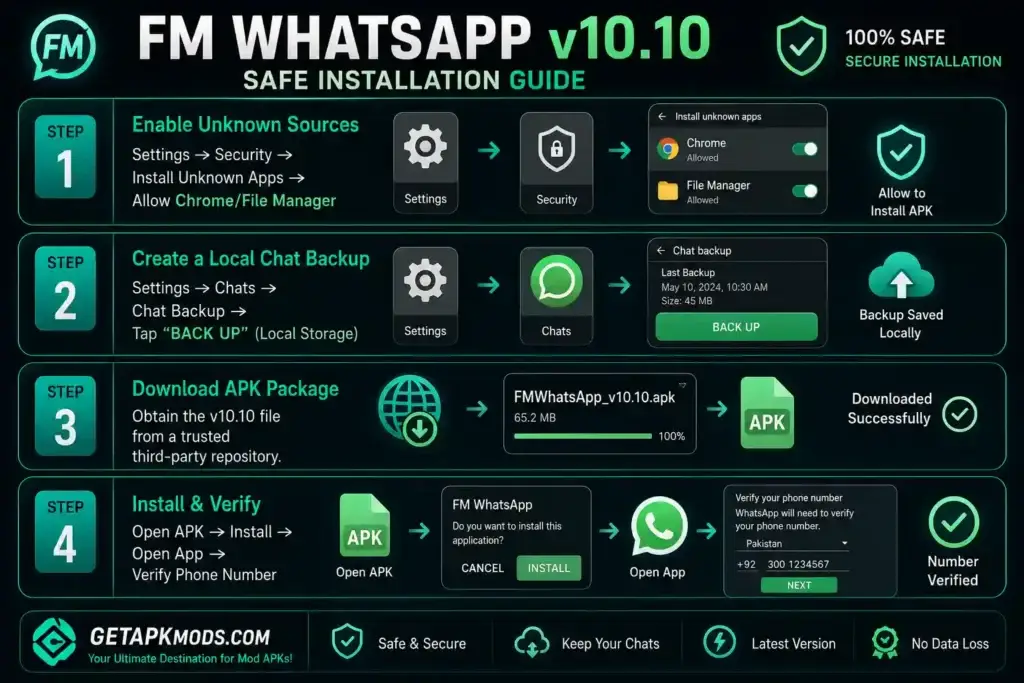
Installing any APK outside the official Google Play or developer distribution channel requires additional care. Before installing FM WhatsApp, back up important information and check the APK details carefully.
Check Your Android Version
Open Settings > About Phone > Android Version and check your device software version.
Compatibility can vary between Android versions and individual APK builds. Do not assume that an older modified application will work correctly on every Android device.
Back Up Important WhatsApp Data
Back up important chats and media before changing your WhatsApp installation.
This is especially important when moving between official and unofficial clients. WhatsApp says it cannot guarantee that chat-history transfers from unofficial applications will work successfully.
If you are moving WhatsApp to another device, our WhatsApp transfer guide covers several methods for moving chats and media.
Review the APK Details
Before opening a third-party APK, check:
- Version number
- File size
- Package information where available
- Android requirements
- Requested permissions
- Source of the APK
A website describing an APK as “verified” does not by itself prove that the package is completely safe.
Scan the APK
Where possible, scan a third-party APK with a reputable security or malware-scanning service before installing it.
A clean scan cannot guarantee that an application is completely safe, but it can help identify known malicious files.
FM WhatsApp Installation Steps
If you are proceeding with a third-party APK, the general Android installation process is straightforward.
- Back up your important WhatsApp data first.
- Download the APK from a source you understand and trust.
- Open the downloaded APK using your Android file manager.
- If Android asks for permission to install from that source, review and enable the required setting.
- Start the installation.
- Open the application after installation.
- Follow the application’s phone verification process if supported.
Do not uninstall your existing WhatsApp installation until you have considered whether you need its local or cloud backup.
Recommended Settings After Installation
If the particular FM WhatsApp build provides additional privacy or customization settings, review them before using the application regularly.
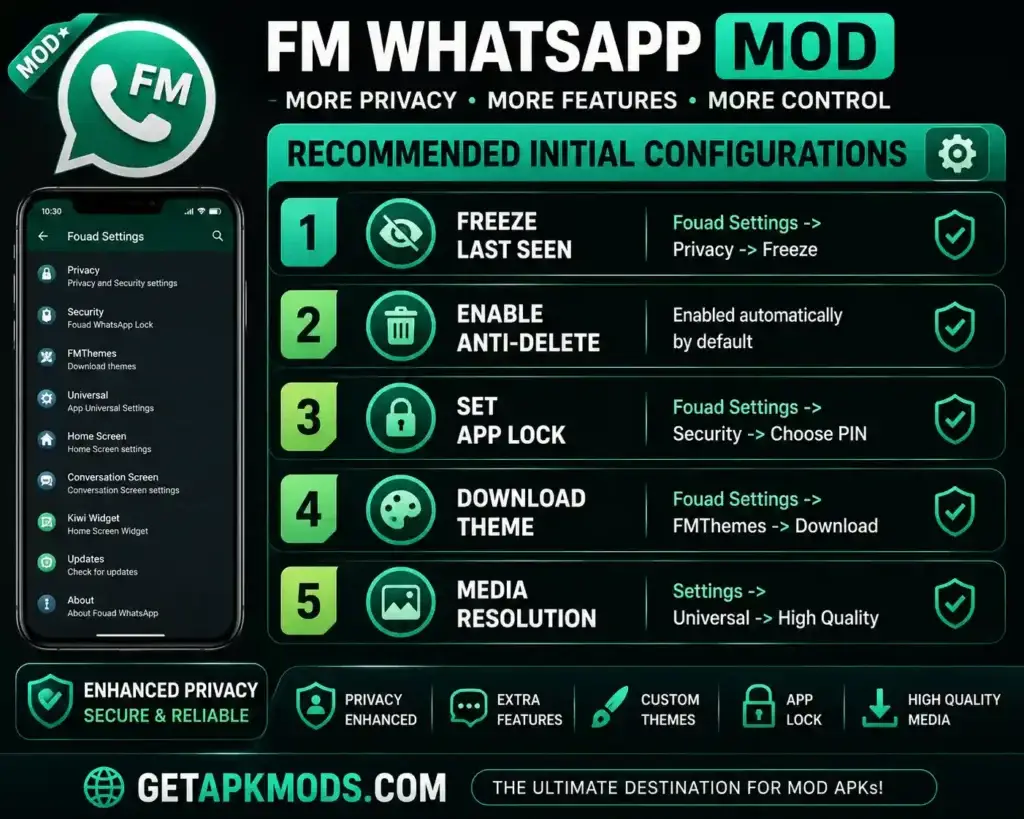
Common settings advertised by modified WhatsApp clients may include:
- Online and last-seen visibility
- Read receipts
- Typing indicators
- App lock
- Chat privacy
- Theme customization
- Media quality settings
Keep in mind that these options are controlled by the individual modified build and can change between versions.
Is FM WhatsApp Safe to Use?
FM WhatsApp should not be described as completely safe, risk-free, or guaranteed to avoid bans.
WhatsApp’s official Help Center specifically lists FM WhatsApp as an example of an unofficial WhatsApp application. WhatsApp says it does not support unofficial apps because it cannot validate their security or privacy practices.
According to WhatsApp, unofficial applications may put privacy and security at risk, may contain malware, and may result in temporary or permanent account restrictions.
For that reason, claims such as “100% safe,” “official FM WhatsApp,” “guaranteed anti-ban,” and “risk-free” should not be presented as verified facts.
Account Restrictions
WhatsApp states that using unofficial applications can result in account restrictions. Users may also see messages asking them to switch to the official WhatsApp application.
This means that an “anti-ban” claim from a third-party distributor should never be treated as a guarantee.
Privacy Considerations
WhatsApp says there is no guarantee that messages and other data handled through unofficial applications will remain private and secure.
For that reason, avoid entering highly sensitive information such as:
- Banking credentials
- Passwords
- Authentication codes
- Recovery codes
- Confidential business information
- Sensitive personal documents
For the official explanation, see WhatsApp’s Help Center page about unofficial apps.
What If FM WhatsApp Stops Working?
A modified WhatsApp client can stop working because of compatibility issues, an outdated build, changes to WhatsApp’s service, installation conflicts, or account restrictions.
WhatsApp recommends removing unofficial applications and switching to the official WhatsApp application if you encounter account-access or unofficial-app warnings.
If you decide to switch back:
- Back up important information where possible.
- Remove the unofficial WhatsApp client.
- Install WhatsApp from an official source.
- Verify your phone number.
- Follow the supported restoration process.
WhatsApp specifically notes that it cannot guarantee successful chat-history transfer from an unofficial application.
You can read the official instructions on switching from an unofficial WhatsApp app.
FM WhatsApp APK FAQs
Is FM WhatsApp official?
No. FM WhatsApp is an unofficial WhatsApp modification distributed by third parties. WhatsApp explicitly lists FM WhatsApp among examples of unofficial apps.
Is FM WhatsApp safe?
WhatsApp does not support or validate the security and privacy practices of FM WhatsApp. The company warns that unofficial applications can expose users to privacy and security risks.
Can FM WhatsApp cause a WhatsApp ban?
There is a risk of account restrictions. WhatsApp states that using unofficial applications can result in temporary or permanent restrictions.
Does FM WhatsApp have an anti-ban feature?
Some distributors advertise anti-ban functionality, but it should not be treated as a guarantee. WhatsApp can still restrict accounts using unofficial applications.
Does FM WhatsApp work on iPhone?
FM WhatsApp is distributed as an Android APK and is not an official iOS version of WhatsApp.
Can I use FM WhatsApp and official WhatsApp together?
Some modified builds may use a separate package identifier, but compatibility varies. Running an unofficial client also does not remove the security and account risks associated with modified WhatsApp applications.
Can I transfer chats from FM WhatsApp to official WhatsApp?
WhatsApp says it cannot guarantee successful chat-history transfers from unofficial applications to the official WhatsApp application.
Final Thoughts
FM WhatsApp is a third-party modification of WhatsApp that may appeal to Android users interested in additional customization and privacy-related controls.
However, its unofficial status is the most important consideration. WhatsApp does not support FM WhatsApp, cannot validate its security and privacy practices, and warns that unofficial applications can create security and account-related risks.
If you are researching FM WhatsApp v10.10 APK, check the exact build rather than relying on generic feature lists or “anti-ban” promises. Back up important data before changing your WhatsApp installation and avoid entering highly sensitive information into an application whose security practices have not been independently verified.
For a supported alternative, use the official WhatsApp Android download page or read the WhatsApp APK guide on GetAPKMods.